
Employee offboarding software.Every exit leaves doors open. Close them on schedule.
You’re not offboarding one person. You’re offboarding one person at each of your locations, on different days, with different equipment and different paperwork to close out. HR Cloud gives every exit one workflow and one owner.
Works alongside the payroll system you already run. Nothing to migrate.




4.7/5 from 399 reviews
4.7 / 5 — 399 reviews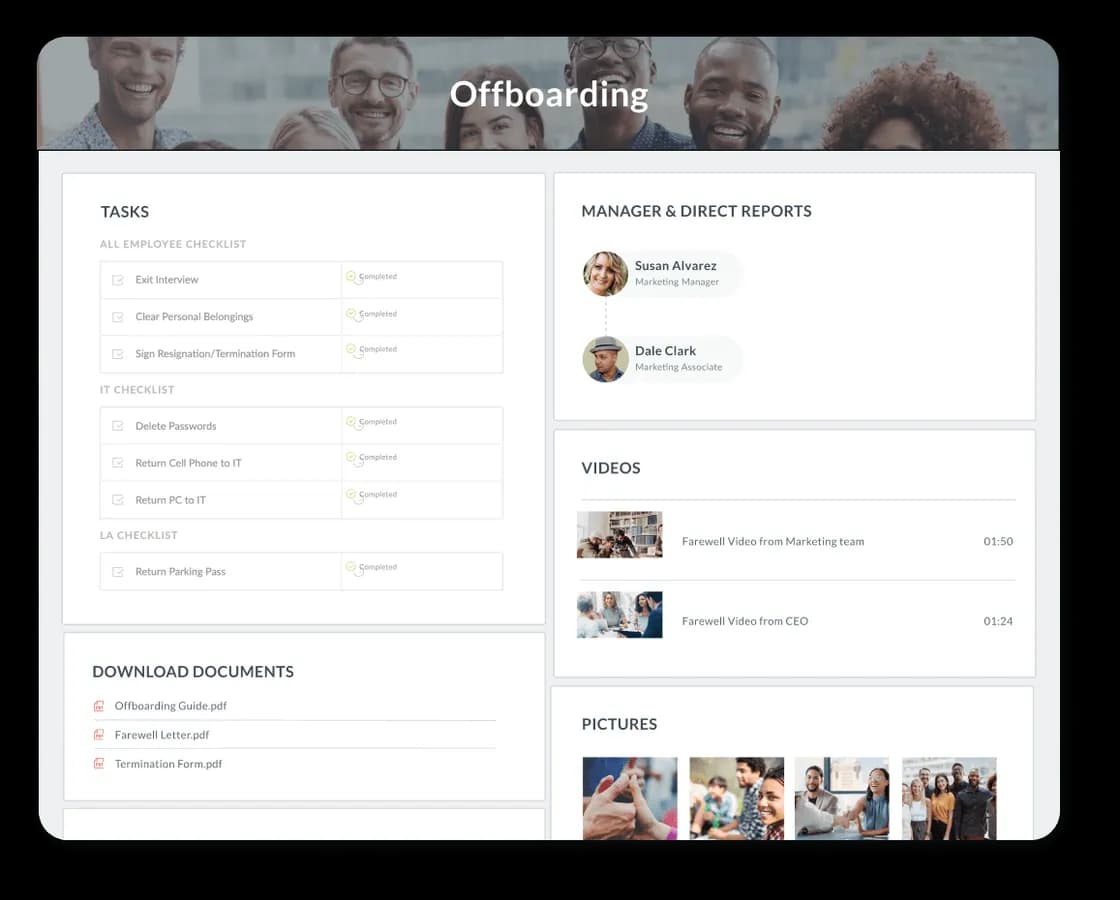
Trusted by industry leaders














The best employee offboarding software leaves nothing unfinished.
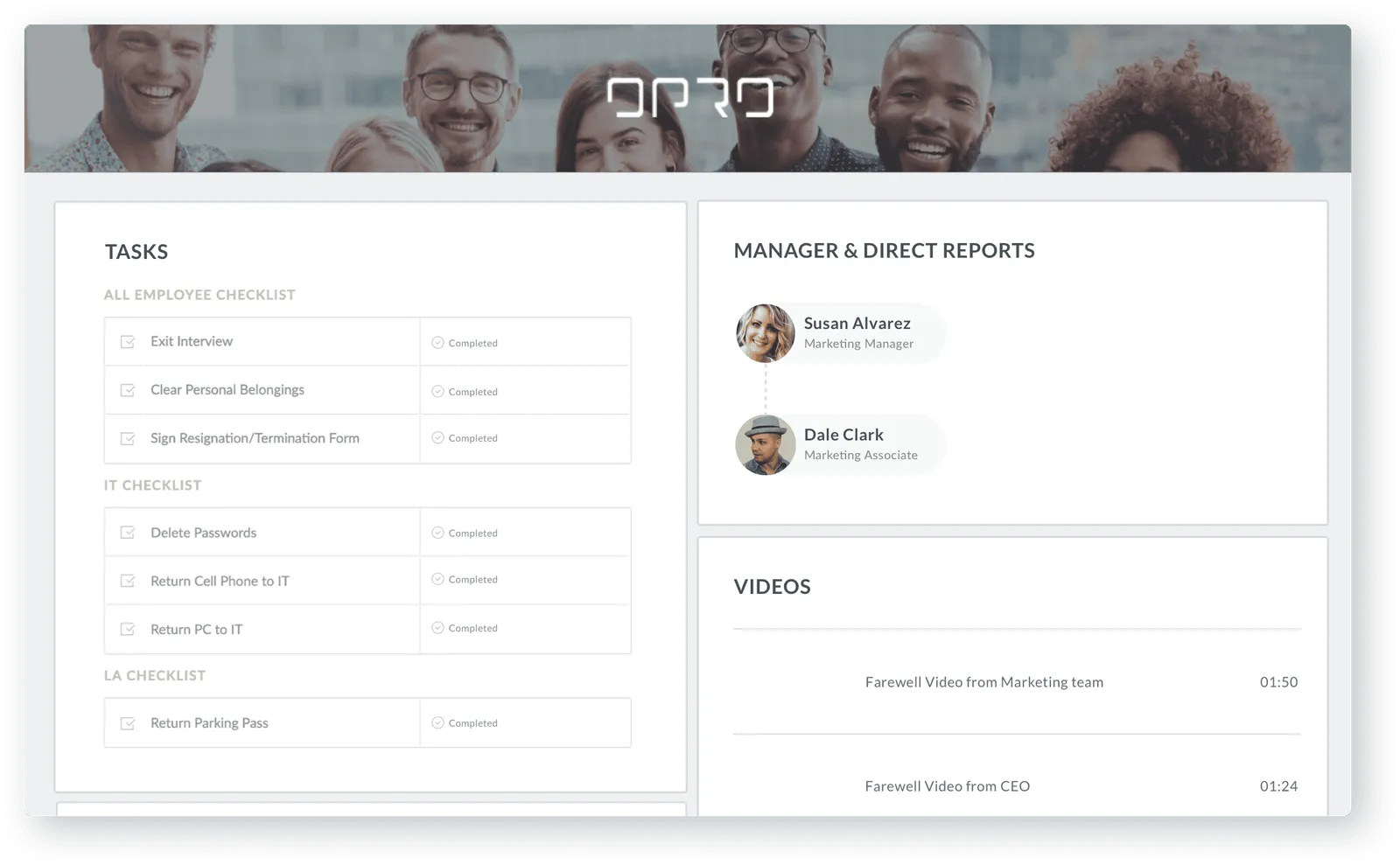
HR Cloud Offboarding is employee offboarding software that runs each departure as a checklist rather than a memory exercise. It supports different flows for resignation, termination, retirement and transfer, revokes system access and tracks asset return on schedule, collects signed separation documents digitally, and gives HR one view of which exits are complete and which are overdue. It runs alongside an existing payroll system rather than replacing it.
Maya
Maya follows up so HR doesn’t have to.
When a manager hasn’t finished a task, an employee still owes paperwork, or another team needs to complete its part of the exit, Maya keeps the process moving and surfaces what still needs attention. She reaches people by text message — no app to install, no portal password — on the phone they already carry.
- Reaches the people who never log in
- Asks, and then asks again
- Every reply lands on the same exit record
No app for them to download, and no login to reset. See how Maya works
What it does
However someone leaves, nothing gets missed.
Resignations, terminations, layoffs, transfers and retirements each run their own workflow automatically, so HR never rebuilds the checklist from scratch. What’s left — the access and assets, and the paperwork — closes the same way, every time.
Give every exit the right process
A resignation is not a termination is not a retirement. Treating them the same is what produces a checklist so generic that people skip it.
- Resignation, termination, retirement, transfer
- Different people, different lists
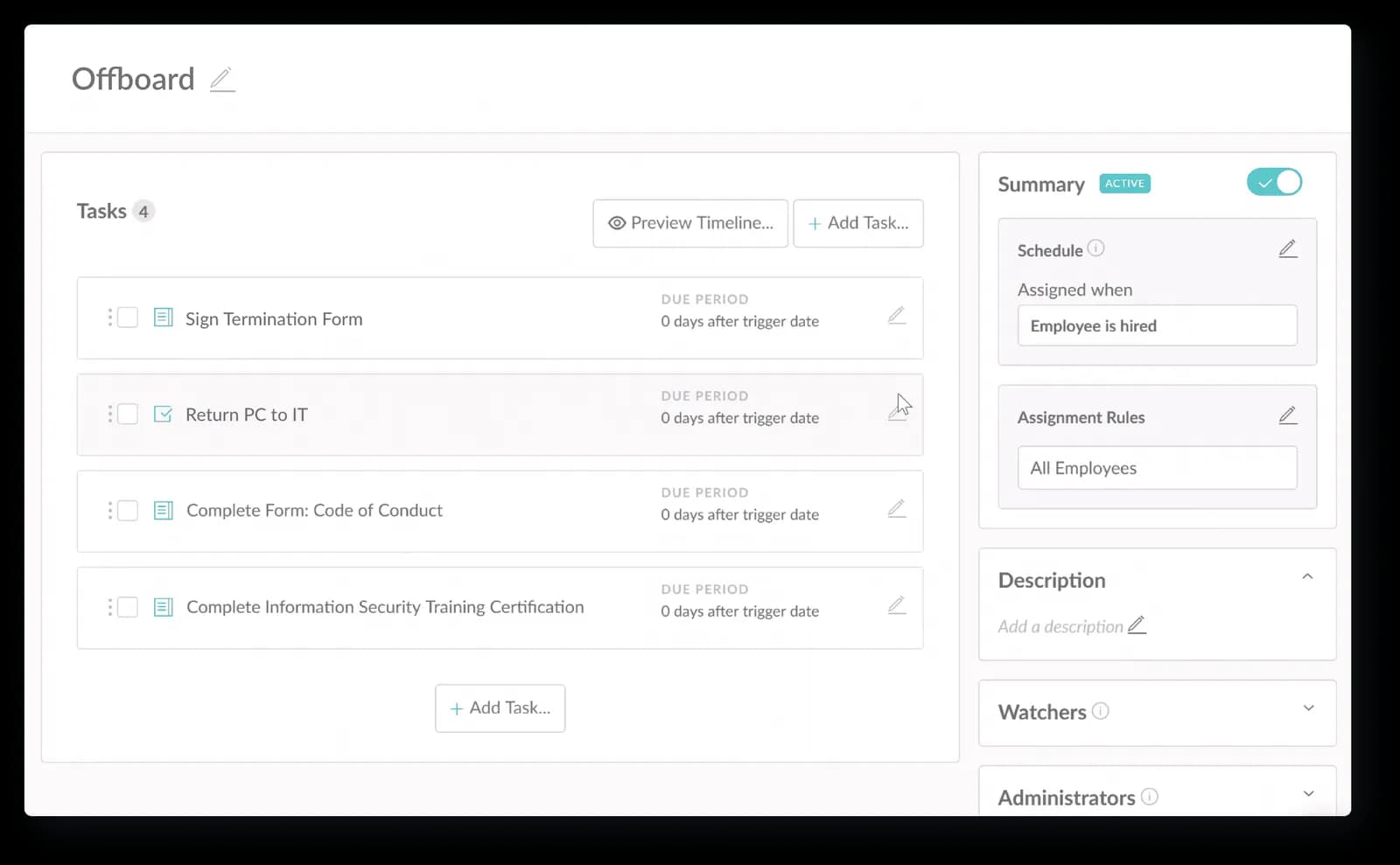
- Your forms, assigned by rule
Close access and recover what belongs to the company
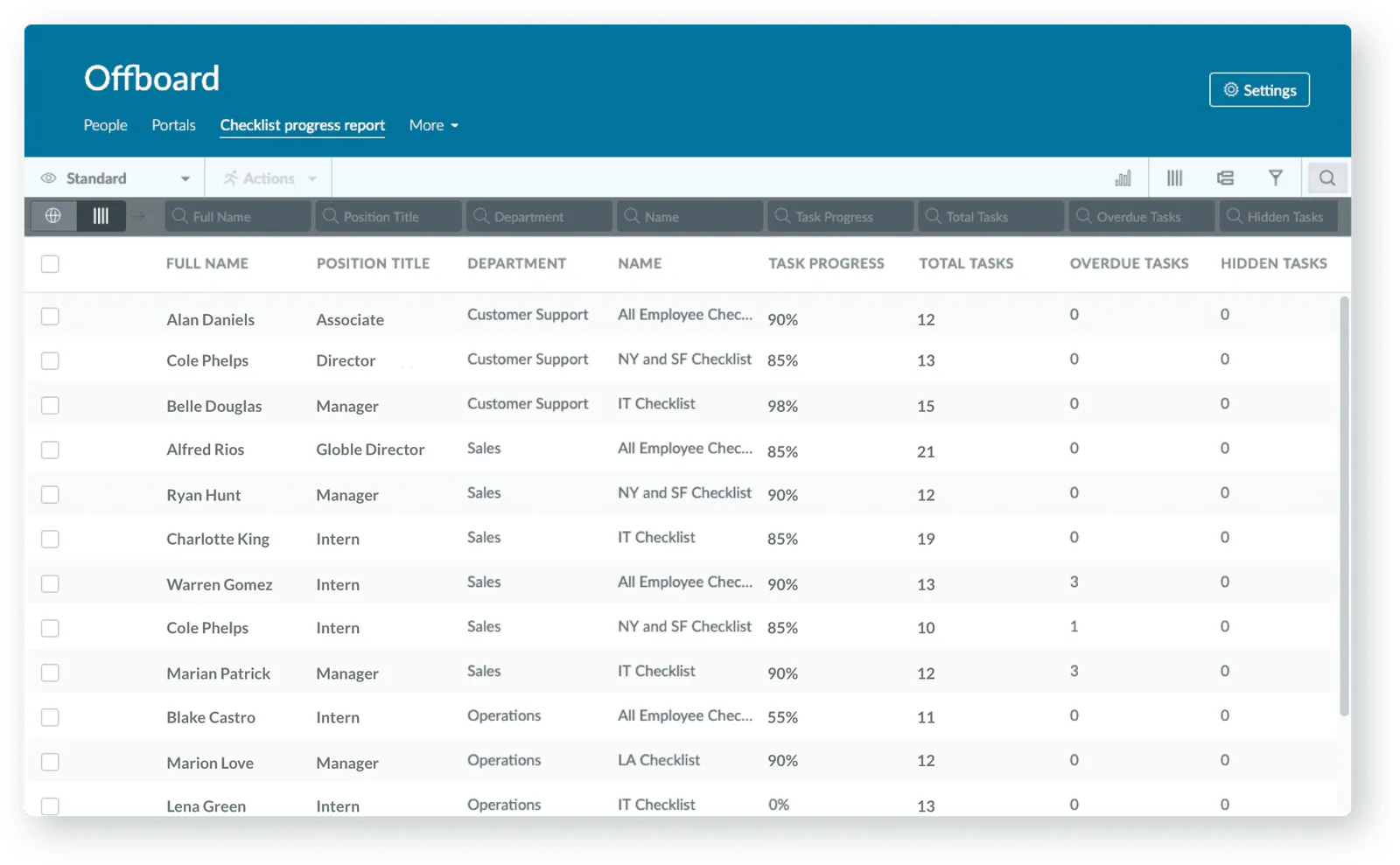
Every revocation is a task with an owner and a due date — not an email request.
- Assets tracked as records, not as a memory
- IT gets its own tasks, on its own deadline
- Reminders by email and text, then escalation
- One dashboard, not a status meeting
Finish the paperwork before it becomes follow-up work
Final paperwork goes out, gets signed and gets stored inside the same flow.
- Approvals built into the paperwork
- Generated, signed and stored in one pass
- The exit interview is part of the checklist
- They keep access long enough to finish
How it runs
Watch an exit run from start to finish.
The same sequence runs for a single exit or ten at once.
Trigger
The right workflow builds itself
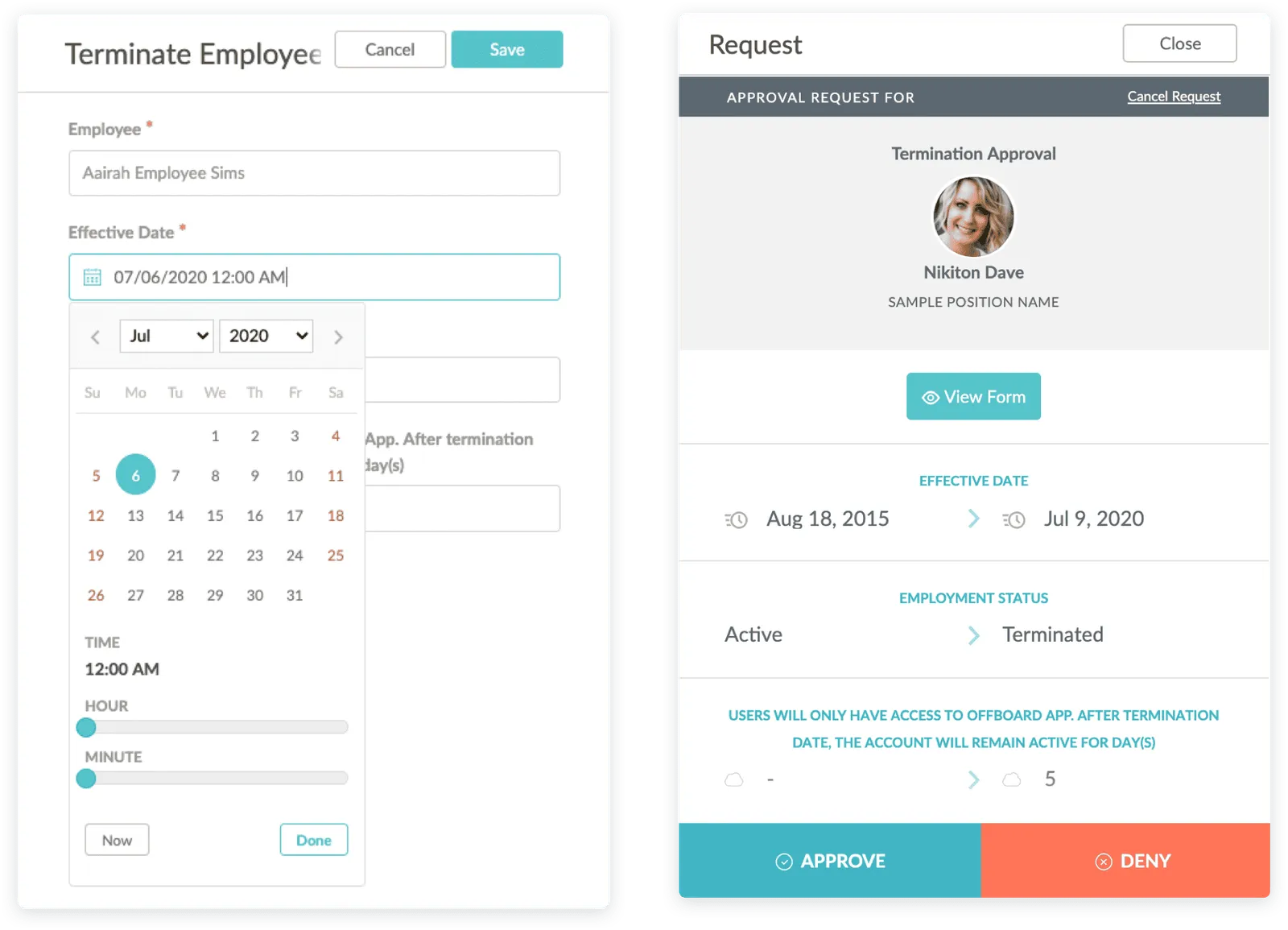
A resignation, termination, retirement or transfer starts the clock. HR Cloud loads the right template — the checklist adapts to the reason instead of forcing one path.
Assignment
Every team gets its task, automatically
This step lands with whoever owns it — HR, IT, payroll or the manager — the moment the workflow starts.
Paperwork
Every signature, timestamped
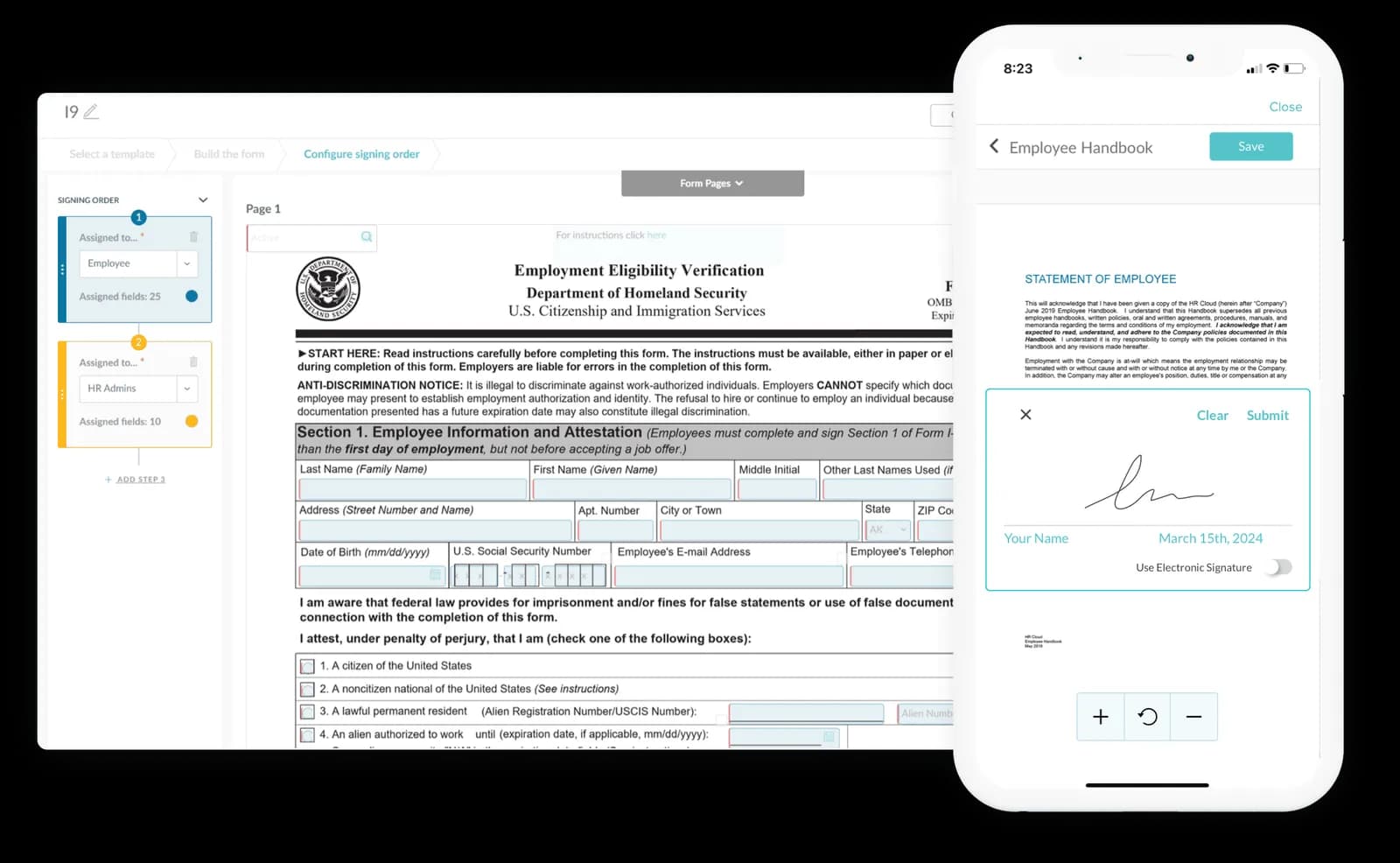
Final paperwork, acknowledgements and any required notices are sent, signed and stored inside the same flow, with a timestamp on every signature.
Oversight
One dashboard confirms what's still open
Which exits are done, which are overdue, and who owns the step that's holding things up — filtered by location, department or date.
Proof
Trusted by HR teams across the employee journey.
From onboarding to everyday HR operations, organizations use HR Cloud to reduce manual work and create better employee experiences.
Customer result · Onboarding

“We now provide real-time workforce statistics and productivity reports that have helped us win more projects.”
Shirley Garcia | Auditing and Operations Administrator
96%
Monthly active usage
70%+
Mobile onboarding completion rate
70+
Workflows managed by HR, not IT

Customer result · Onboarding

“Resulting in increased overall efficiency, finishing the onboarding process 3 times faster.”
Nicole Minard | CEO
30%
Improved data accuracy by 30% within three months.
8
Hours HR saves each week onboarding new hires
66%
HR efficiency improvement


Customer result · Onboarding

“Onboard has helped us save so much valuable time and effort while increasing data accuracy.”
Kaylee Collins | HR Analyst
24%
Improved data accuracy by 24% within three months.
7
Hours HR saves each week onboarding new hires
65%
HR efficiency improvement


Customer result · Onboarding

“One of the standout aspects of HR Cloud is its responsive and knowledgeable support team.”
Meghan | HR Coordinator
10,000+
Employees onboarded via HR Cloud
75%+
Mobile onboarding completion rate
80+
Workflows managed by HR, not IT



“We’re pleased with the results we’ve gained from HR Cloud’s solutions for recruiting, onboarding, and employee engagement.”
Michael Hawkins | Franchise Owner
97%
Monthly active usage
6
Weeks from kickoff to platform rollout
60%
HR efficiency improvement



Free resource
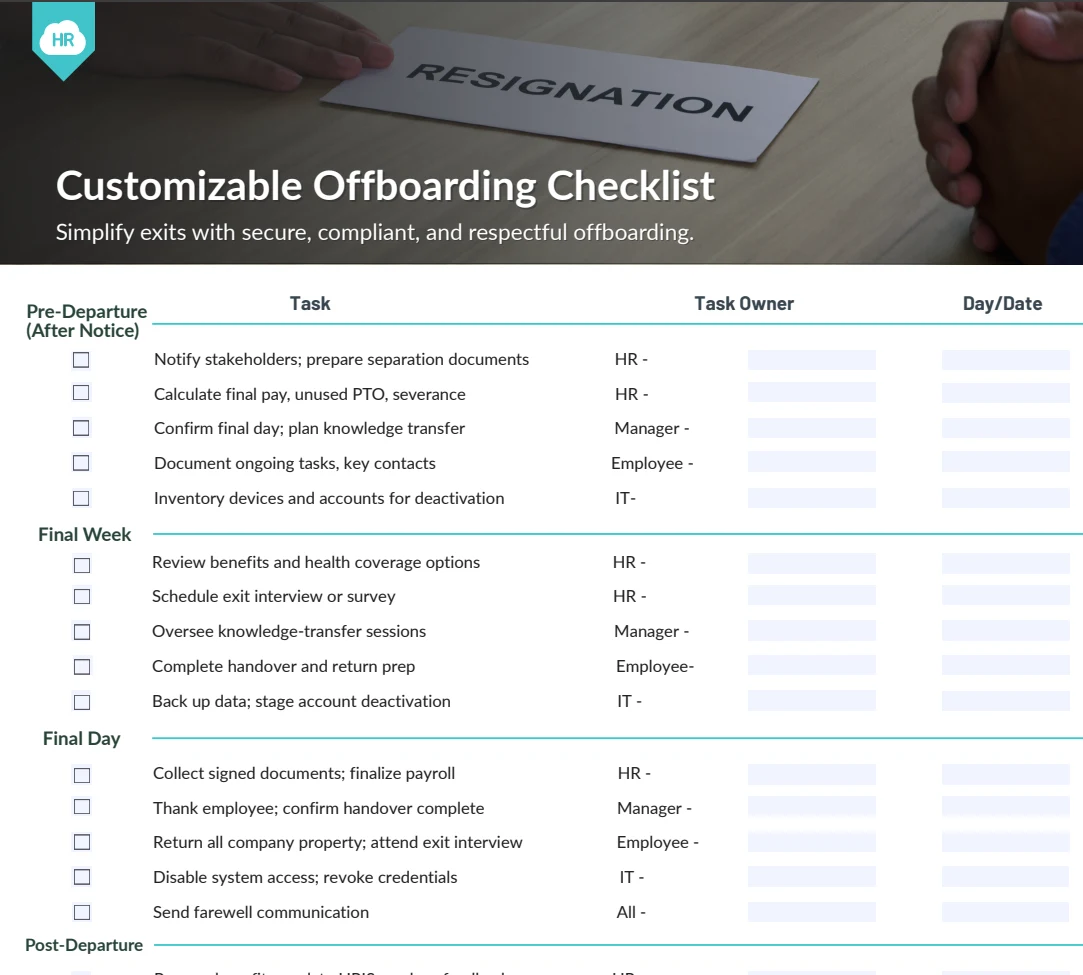
One checklist for every team involved in an exit.
Cover HR, IT, payroll, managers, assets, access and final documentation — without starting from a blank spreadsheet.
One record, not two systems
One employee record. From first day to last.
Most teams buy onboarding and offboarding separately, then spend two years reconciling them. HR Cloud runs both on one record, so when someone leaves, HR already has the data, documents and history it needs to coordinate the exit — nothing reconstructed from scratch in a different system.
So when somebody comes back — which happens far more often than most headcount plans assume — you rehire onto the record you already have, with everything that came before still on it.
See how onboarding works tooOne employee record
- First dayOnboarding checklist, paperwork, access granted
- Everything in betweenRole changes, time off, reviews, documents
- Last dayOffboarding checklist, access closed, assets back
- If they come backRehired onto this record, history intact
Works with the payroll system you already run.


Payroll stays exactly where it is.
ADP Platinum Marketplace Partner. HR Cloud runs the exit itself — the tasks, the owners, the approvals and the signed documents — while your payroll platform stays the system of record for pay and employment data. Nothing migrates, and nothing is ripped out.
What moves between HR Cloud and your payroll platform, and in which direction, depends on the platform and the plan.
See all integrationsWho this is for.
Multi-location organizations
Keep exit processes consistent across every location, while local managers get only the tasks that are theirs to complete.
Frontline and deskless workforces
Coordinate departures even when people don't sit at a desk or live in company email — checklists assign by role and worker type either way.
Lean HR teams
Run more exits without adding headcount to HR.
Complex, multi-stakeholder exits
Coordinate HR, managers, IT, payroll and facilities from one process instead of five separate inboxes.
Not a good fit
A single office of twenty people where the same person handles every departure and there are three a year. A shared document genuinely works at that size.
Frequently asked questions
Run every exit with one system
See it run against your own exit process.
Fifteen minutes against your real roles, locations and exit types. Not a generic demo — bring the exit that goes wrong most often.
Trusted by 760+ organizations worldwide
Personalized to your operation
Get a personalized demo
See how HR Cloud can support your locations, workforce, and current systems. You’ll know in one call if it’s the right fit.


No commitment. No sales pressure. A live walkthrough with your use case.